

Teaching efficiently with a data projector
Free software to support teachers
Lesson Loader v2
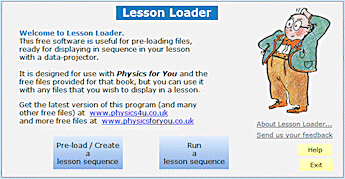
LessonLoader is a free program to help you to plan and deliver your lessons more efficiently.
It works like this:
Plan your lessons more efficiently
A Planning a lesson
Step 1:
Give the lesson a name eg. 10P Elec Circuits Monday period 3
Step 2:
Browse your hard-disc for files and select which ones you want to use.
Files can be your own, or from a CD or the web.
The files can be PowerPoint, Excel, Word, Images, Videos, etc.
Step 3:
In this way you build up a ‘Play-List‘ of the files you want to project in this lesson, in sequence.
You can edit the sequence if you wish.
Build up a play-list . . .
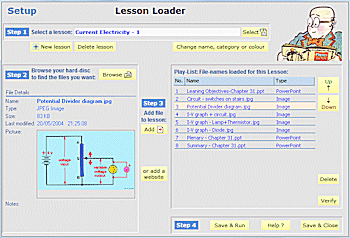
Step 4:
Click on the Save button.
(You can store up to 1000 lessons.)
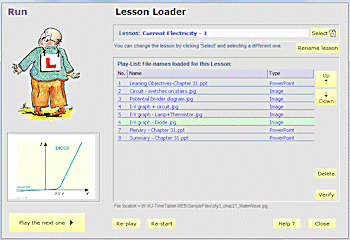
B Teaching the lesson
In the lesson, just click on the big button, to play the next file in your play-list. eg. on your data-projector. It’s as simple as that.
It’s a free download from here.
. . . and then play it in the lesson.
Although originally intended for use with the Physics for You CD-ROM, you can use it in any subject, with any files:
 |
PowerPoints, Excel, Word, PDF, HTML files |
|
URLs of internet links, YouTube etc. |
|
Images (.jpg, .gif, .bmp, etc) |
|
Videos (.avi, .mov, .mpg, etc). |
It’s entirely free — so give a copy to anyone you like — to other members of the Science Dept, or the Geography Dept, etc.
This v2 has several improvements, including:
1. you can group your lessons into ‘Categories’,
2. you can store URL addresses of web-sites, and
3. you can colour-code your lessons,
and it has improved HelpScreens, etc.
It’s a free download. Click here.
To view the main Physics and Revision Menu of Free materials, click here.





 button.
